Finally get your whole family on the same page — without buying another screen
Transform any TV, tablet, or Fire Stick into a beautiful family command center. Calendars, chores, meals, and lists — all in one place.
Sound familiar?
You're not alone. Most families are juggling too many tools and still dropping the ball.
App overload
"Honey, which calendar did you put that on?" — Managing 5+ apps for schedules, groceries, and chores.
Expensive hardware
Skylight costs $600. Hearth costs $250. Why buy another screen when you have plenty?
Nobody checks the board
Paper calendars get ignored. Shared apps get forgotten. Nothing sticks.
Constant coordination
Endless texts: "Did you see my message?" "Can you pick up milk?" "Whose turn is it?"
One beautiful screen. One organized family.
FamBoard brings everything together in one place that everyone actually looks at.
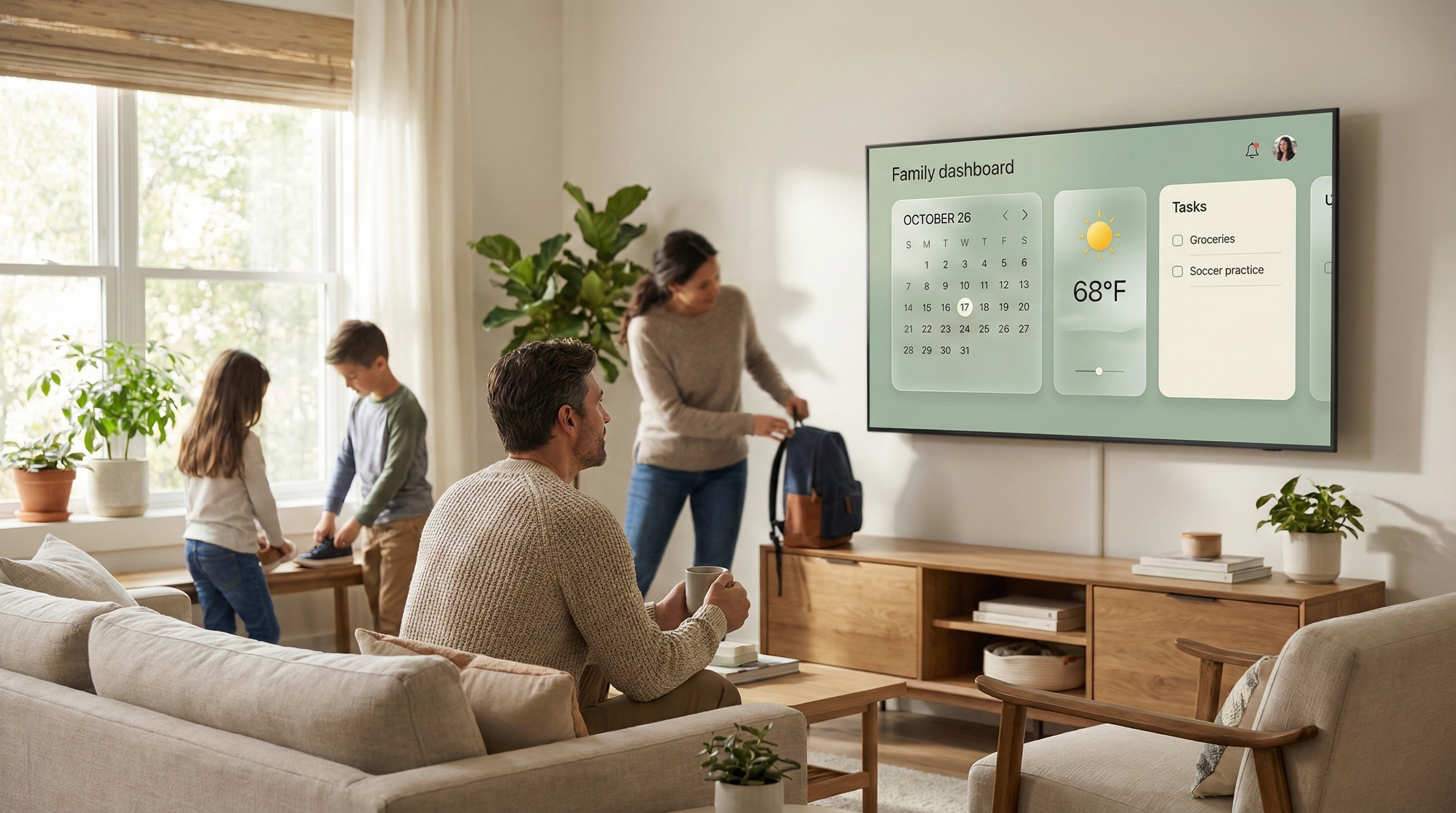
Your TV becomes a family hub
Turn any Fire TV Stick, tablet, Echo Show, or smart TV into a stunning command center. No new hardware required — just $10/month instead of $600.
Calendars, chores, meals & lists — unified
Sync unlimited Google and Outlook calendars. Assign tasks to family members. Plan meals for the week. Keep shared grocery lists. All visible at a glance from across the room.
Calendars
Tasks
Meals
Lists
Art Mode aesthetic — not another ugly gadget
Seasonal themes, glassmorphic design, and photo frame mode mean FamBoard looks like decor, not technology. Your living room will thank you.
Everything your family needs
All the tools to keep your household running smoothly, in one beautiful dashboard.
Unified Calendar
Sync Google & Outlook calendars from the whole family. See everyone's schedule in one view with color-coded events.
Smart Tasks & Chores
Assign tasks to family members, set due dates, get completion notifications. Finally know whose turn it is.
Shared Lists
Grocery lists, to-do lists, packing lists — all synced in real-time. Add items from your phone, see them on the big screen.
Gigs Board
Teach kids responsibility with reward-based tasks. "Empty dishwasher = $2" — they'll actually want to help.
Weather & Countdowns
5-day forecast at a glance. Countdown to birthdays, vacations, and special events the whole family can see.
Multiple Displays
Put a display in the kitchen, living room, and kids' room. All stay perfectly synced.
Set up in under 5 minutes
Getting started with FamBoard is quick and easy. No technical expertise required.
Sign Up
Create your family account, add family member profiles, and connect your calendars.
- Create your family account
- Add family member profiles
- Connect your calendars
Install the App
Download FamBoard on your Fire TV, tablet, or any device with a browser.
- Download on Fire TV, tablet, or any device
- Enter your unique display code
- Choose your layout and theme
Enjoy the Calm
Your family command center is live. Everyone sees the same information, updated from anywhere.
- Your family command center is live
- Everyone sees the same information
- Update from anywhere via phone or computer
Families love FamBoard
Join thousands of families who've ditched the chaos and found their calm.
“We used to have a $300 Skylight that nobody looked at. Now we use a $30 Fire Stick and FamBoard — the kids actually check their chores!”
Sarah M.
mom of 3, Texas
“The 'Gigs Board' changed everything. My teenagers now ASK for extra chores. I never thought I'd say that.”
David R.
dad of 2, California
“Finally, a family app that looks beautiful. It matches our living room instead of looking like an office dashboard.”
Michelle K.
mom of 2, Colorado
Real feedback from real families using FamBoard.
Simple pricing. No hardware to buy.
Why spend $600 on hardware when you can use what you already own?
Starter
Perfect for getting started
- 2 displays
- 5 family members
- 2 calendar accounts
- 2 themes
- 100 photos
- —Priority support
Family
Most popular for families
- 5 displays
- 10 family members
- Unlimited calendar accounts
- All themes
- 1,000 photos
- Priority support
Family Annual
Best value — 2 months free
- 5 displays
- 10 family members
- Unlimited calendar accounts
- All themes
- 1,000 photos
- Priority support
All plans include a 14-day free trial — no credit card required.
Compare the cost
Use FamBoard for 3+ years before you'd spend what Skylight costs upfront.
Questions? We've got answers.
Everything you need to know about FamBoard.
FamBoard works on any device with a web browser. Our most popular setups use Amazon Fire TV Stick ($30-50), Echo Show 15/21, Android tablets, Chromecast with Google TV, or Samsung Smart TVs. If it has a browser, it works with FamBoard.
Nope! That's the whole point. FamBoard is designed to run on devices you already own. Most families use an old tablet or a $30 Fire TV Stick. No expensive proprietary hardware required.
Skylight and Hearth require you to buy their specific (expensive) hardware. FamBoard runs on any screen you already have. You get the same beautiful family hub experience at a fraction of the cost, plus more flexibility in where and how you display it.
Yes! Every family member gets their own profile with a unique color. The main display shows everyone's combined schedule, while individuals can manage their own tasks and calendars from their phone or computer.
FamBoard syncs with Google Calendar and Microsoft Outlook/Office 365. Connect as many calendar accounts as your plan allows — perfect for families with work calendars, school calendars, sports schedules, and more.
Absolutely. We use bank-level encryption, your data is never sold to third parties, and we're fully compliant with privacy regulations. Your family's schedule is your business, not ours.
Read our Privacy Policy →Yes, cancel anytime with one click. No contracts, no cancellation fees, no questions asked. If FamBoard isn't right for your family, you can leave whenever you want.
No. Kids appear as profiles within your family account — they don't need email addresses or separate logins. You control everything from your parent account.
Add a Fire TV Stick ($30-50 on Amazon) to any TV with an HDMI port. It's the most affordable way to make any TV smart and FamBoard-ready.
Ready to get your family organized?
Join thousands of families who've ditched the chaos. Start your free 14-day trial today — no credit card required.
Start Your Free TrialSet up takes less than 5 minutes. Cancel anytime.